As well as editing details for existing workers in a pay period, you can enrol missing workers. For example, you can enrol a worker who was accidentally missed off the original pension data file for that pay period and has contributions that need to be processed.
To enrol a new worker, choose Add new worker and upload a pension data file with the details of the new worker and their period of service.
Important: you can only use Add new worker to create new periods of service for workers who need to be enrolled and aren’t already in now:u. Please make sure you enrol your workers in the correct pay period. You can’t add contributions to pay periods that are before the pay period that contains the worker’s enrolment date.
Before enrolling a missing worker, please check their period of service isn’t already in the pay period. If it is, please edit it instead as explained above.
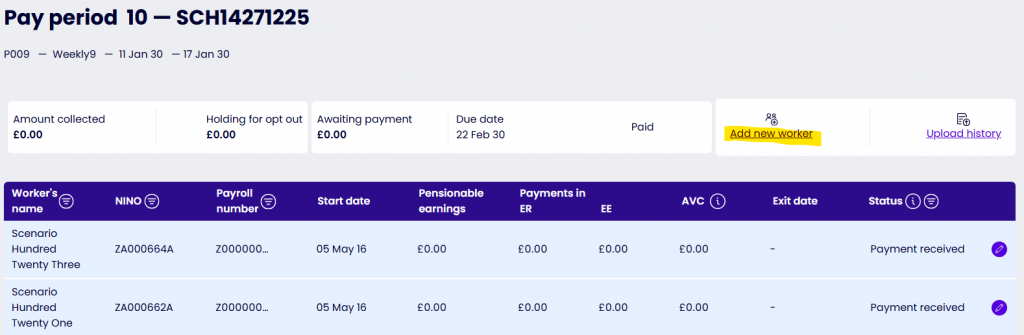
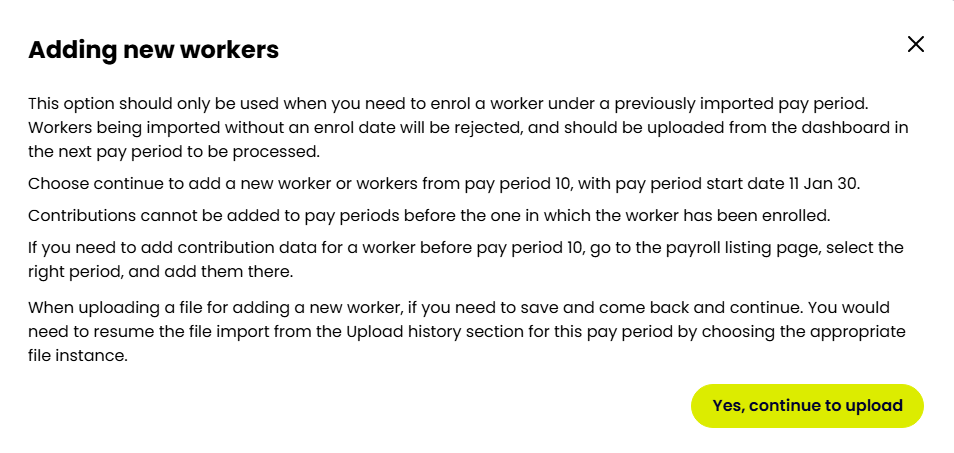
Please use your normal pension data file, but only include the details of the worker you want to add to the pay period. Otherwise you’ll get errors.
The system will process the file in the same way, and do the same checks, as any other pension data file upload.
If you’re using Add new worker to enrol a worker in a previously submitted pay period, the system will expect payments into that worker’s pension savings in the following pay periods. If those pay periods have already been processed, you’ll need to add contribution details for this worker as set out above. Otherwise, you could get late payment warnings.
The system will tell you if you need to edit any pay periods once the worker has been uploaded. You’ll see Action required on the pay periods you need to edit.